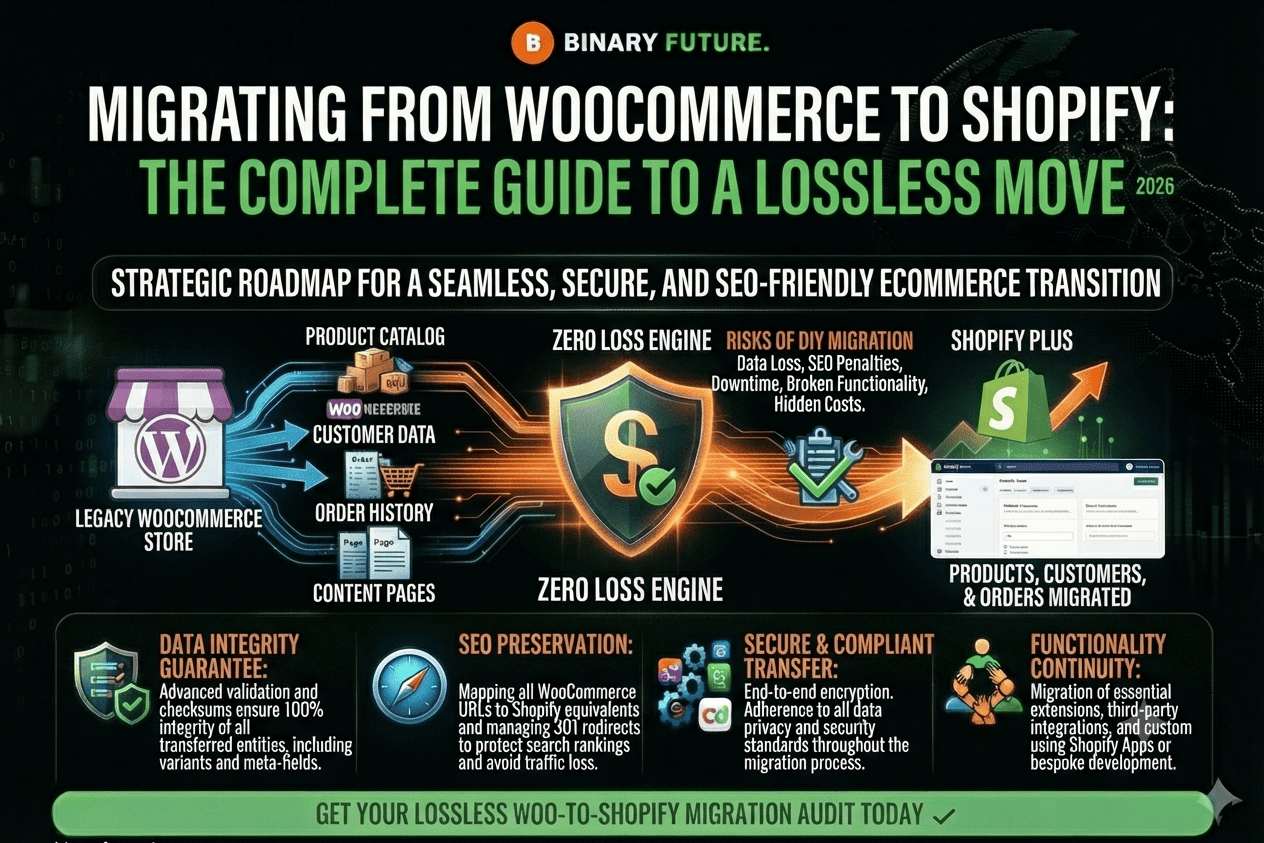
Learn WooCommerce to Shopify Migration step by step, including how to migrate products, customers, and orders safely with zero data loss and maintain SEO rankings during transition.
The decision to move your business from WooCommerce to Shopify is a strategic move for brands tired of endless plugin updates, security issues, and slow page loads. At Binary Future, we view this migration as a transition from a “constantly breaking builder” to a stable ecosystem built for scaling. According to research, switching to a managed platform allows business owners to save up to 40 hours per month that would have been spent on website maintenance.
In this article, we will analyze the step-by-step migration algorithm, the technical challenges of data migration, and ways to protect your SEO capital when changing platforms.
Why Brands Are Leaving WooCommerce: A Quick Analysis
While WooCommerce is a popular solution due to its initial free nature, hidden costs for hosting, security certificates, and developers quickly add up. Constant conflicts between WordPress versions and plugins become a “tech tax” that hinders growth.
Stability and download speed
Shopify offers a cloud-based infrastructure that automatically handles traffic spikes. This is critical, as every second of page load delay will cost a store up to 7% of conversions by 2026. With Shopify, you get speed out of the box without spending thousands of dollars on server optimization.
Security and application ecosystem
Unlike WooCommerce, where security is your personal responsibility, Shopify takes care of PCI DSS compliance and customer data protection. You get access to the world’s best app ecosystem, where any innovation, from AI recommendations to seamless subscriptions, can be implemented without the risk of taking down your entire site.
Phase 1: Planning and data preparation
This is the foundation of your move. Mistakes at this stage can lead to budget overruns and loss of important customer information.
Comprehensive audit and backup
Before you start importing, you need to do a complete audit of your WooCommerce data. You need to export:
Products and options:Shopify has a limit of 3 options per product (e.g. Size, Color, Material). If your WooCommerce products have more axes, you will need to restructure the data.
Customer data and order history:it is your most valuable asset for building loyalty.
Content and reviews:social proof that directly impacts the trust of new buyers.
Be sure to back up all CSV files and the database before starting any work.
SEO Position Protection and Redirect Strategy
Migration is a high-risk area for your organic traffic. WordPress and Shopify URL structures are fundamentally different. It’s important to create a detailed 301 redirect map so that Google doesn’t lose your pages. Setting up redirects correctly preserves your SEO weight and prevents a massive 404 error after launch.
Phase 2: Technical migration process
Once the plan is ready, it’s time to move on to the technical implementation in the Shopify admin.
Import steps and system setup
Choosing a migration method:You can use the native Shopify Store Migration app for WooCommerce, use CSV import, or engage a certified Shopify partner for custom data migration via the API.
Tax and shipping settings:Shopify automatically calculates taxes based on region, but the shipping logic (zones, rates, carrier integration) needs to be manually configured according to your operational processes.
Payment gateways:Activating Shopify Payments allows you to avoid additional transaction fees and provides access to Shop Pay, a checkout that works 4 times faster than standard solutions.
Testing and verifying data integrity
After importing, it is important to check:
Correspondence of options:Are prices and remaining stock displayed correctly for each color and size?
Images and metadata:whether descriptions, Alt tags, and high quality visual content have been preserved.
Order processing scenarios:Follow the customer journey from the home page to successful payment on various mobile devices.
Phase 3: Post-launch optimization and growth
Launch is just a fresh start. Now your task is to activate all the benefits of your new platform to increase your revenue.
Updating SEO tools and communicating with the database
Immediately after transferring your domain, submit a new sitemap.xml file to Google Search Console to speed up indexing. Be sure to notify your customers about the move: send an email campaign asking them to reactivate their accounts (passwords are not migrated for security reasons) and offer a personalized discount for their first order on the new site.
Analysis and continuous improvement (CRO)
Shopify provides deep built-in analytics. Track Core Web Vitals, checkout speed, and average checkout. Use this data to customize personalized offers and upsells through retention marketing apps.
From theory to implementation
Migrating from WooCommerce to Shopify is an investment in the stability and future growth of your brand. While the process requires attention to technical details (especially in terms of SEO and product options), the result in a fast, secure, and user-friendly platform will pay off in the first few months of operation.
The key to a successful migration is combining automated tools with professional oversight at every stage. By protecting your data and SEO capital, you turn your technical transition into a strategic advantage. Binary Future will help make this process seamless so you can focus on what matters most – growing your business.
Ready for a seamless transition to Shopify?
Order a free migration audit from our experts.