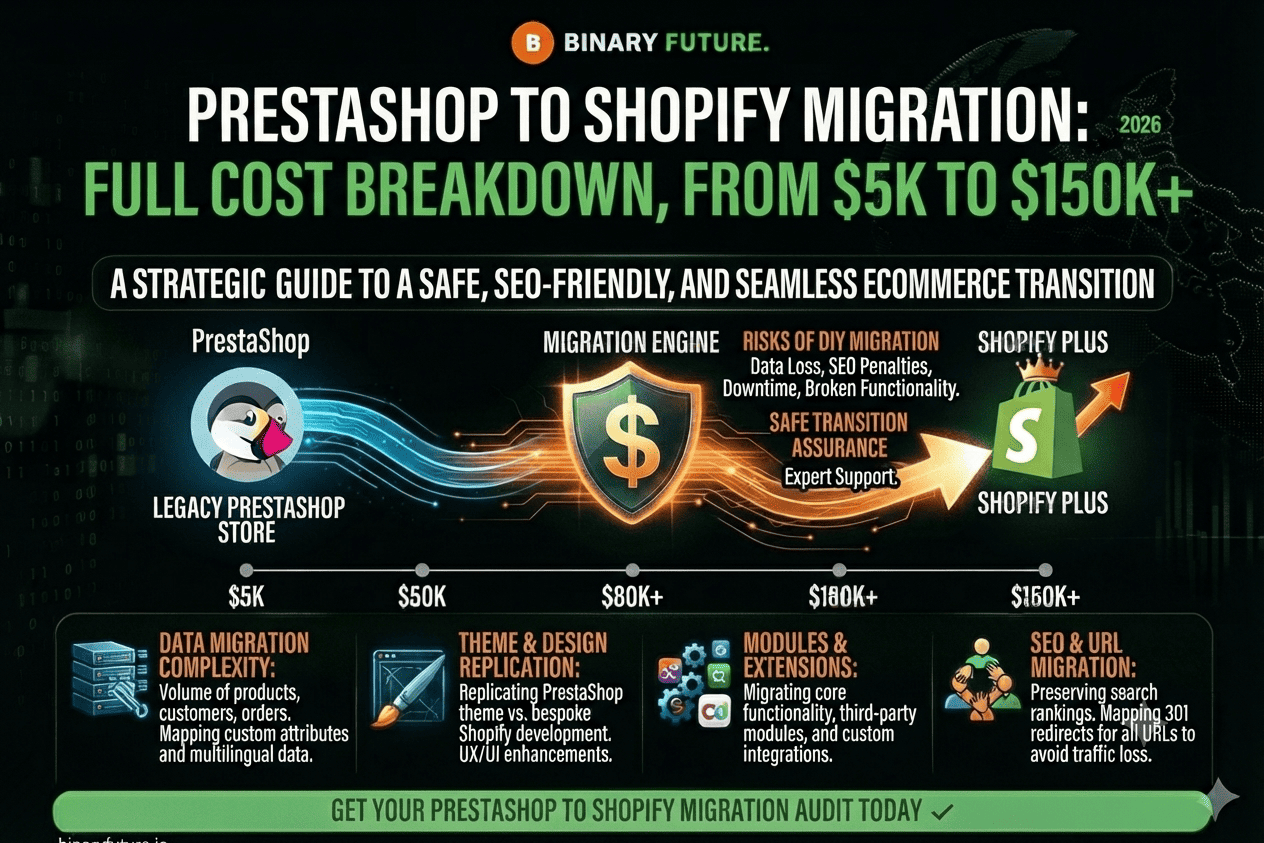
Explore PrestaShop to Shopify Migration with a full cost breakdown from $5K to $150K+, including timeline, risks, and how to ensure a safe, SEO-friendly store transition.
Transforming your business’ digital landscape by moving from PrestaShop to Shopify is not just a platform change, but a new level of operational excellence. In 2026, e-commerce flexibility has become synonymous with market survival. Binary Future emphasizes that while PrestaShop offers the broad autonomy of open source, it also burdens businesses with ongoing maintenance, security vulnerabilities, and scalability difficulties.
In this guide, we will analyze a step-by-step algorithm for a seamless migration that will allow you to preserve your SEO capital, customer base, and ensure a stable increase in conversions from the first day of launch.
Why Businesses Choose Shopify: A Quick Look
PrestaShop is a powerful tool, but it requires constant developer involvement and control over hosting. Shopify, on the other hand, offers a SaaS paradigm where the infrastructure works for you, not you for it.
Simplified ecosystem and speed of deployment
The main advantage of Shopify is that you don’t have to worry about server environments and security patches. You get a fully hosted platform that is optimized for mobile traffic by default. This frees your team from the technical grind, allowing you to focus on marketing innovation and strategic planning.
Scalability without borders
Shopify natively integrates with social media and global marketplaces. In 2026, when omnichannel sales are critical, Shopify is the ideal foundation for businesses looking to scale quickly without the need for a constantly growing IT workforce.
Phase 1: Strategic Planning and Data Audit
A successful migration starts long before the first line of code. Mistakes at this stage can cost you customer loyalty and a drop in organic reach.
Backup and asset inventory
Before starting the process, you need to conduct a complete audit of your existing data. Your migration checklist should include:
Products:images, SKUs, variants, and meta descriptions.
Customer base:order history, contact details and segmentation.
SEO Structure:a complete list of valid URLs for further configuration of 301 redirects.
It is important to remember that customer passwords cannot be directly transferred through encryption, so prepare an account reactivation strategy in advance.
Selection of tools and transfer methods
To migrate entities from PrestaShop, you can choose automated services (like Cart2Cart), manual import via CSV, or hire the Binary Future team for a custom migration via API. The latter option is the most reliable for complex projects where you need to preserve specific relationships between products and orders.
Phase 2: Technical implementation and SEO maintenance
This stage involves the actual transfer of your store’s vital systems to the new environment.
New store configuration and object import
Core Settings: Setting up currencies, tax zones, and logistics rules in Shopify.
Launching a demo migration: checking a limited data set to verify the correct display of descriptions, prices, and order statuses.
Full migration: a background migration process that does not require downtime of your existing PrestaShop store.
Protecting SEO rankings and setting up redirects
Changing platforms is stressful for search engines. PrestaShop link structure is often different from Shopify logic. Creating an array of 301 redirects is a must. This allows you to save up to 99% of the SEO weight of your pages and prevent a catastrophic drop in traffic after the new site is indexed.
Phase 3: Post-migration optimization and growth
Once the technical transfer is complete, the fine-tuning phase begins, which determines the long-term success of the project.
Content audit and theme customization
Choose a theme that best suits your brand (e.g. Dawn for a quick start or a custom solution). Check the quality of the transferred images and the correct operation of filters in collections. Install only the necessary plugins for SEO (Smart SEO), reviews (Judge.me), and marketing (Klaviyo) to avoid overloading the site code.
Customer communication and analytics
Send personalized emails to your database about the launch of your revamped store. Encourage users to reset their passwords by offering a loyalty bonus. Enable end-to-end analytics from day one to monitor conversion paths and track bounce rates.
Monthly update – March 2026
As you settle into your new Shopify store in March 2026, optimizing your SEO and user experience for sustainable growth should be a critical focus. Conduct a thorough audit of your newly migrated product and category pages to ensure that all meta titles and image alt tags are accurate. Pay close attention to your 301 redirects, verifying that all old PrestaShop URLs are successfully pointing to their new counterparts. Remember, a successful migration is not just about moving data; it’s about leveraging the capabilities of your new platform to seamlessly engage your customer.
Action plan: from planning to profit
Migrating from PrestaShop to Shopify is your chance to shed the technical baggage and gain a modern tool for global expansion. While this process requires investment and technical expertise, the result of a stable, fast, and secure platform will pay off with higher conversions and reduced IT support costs.
The key to success is meticulous attention to data retention and SEO structure. With the right guidance and a reliable development partner, your new Shopify store will be the foundation for your brand’s continued growth for years to come.
Ready for a seamless transition to Shopify?
Book a free consultation with our technical director.