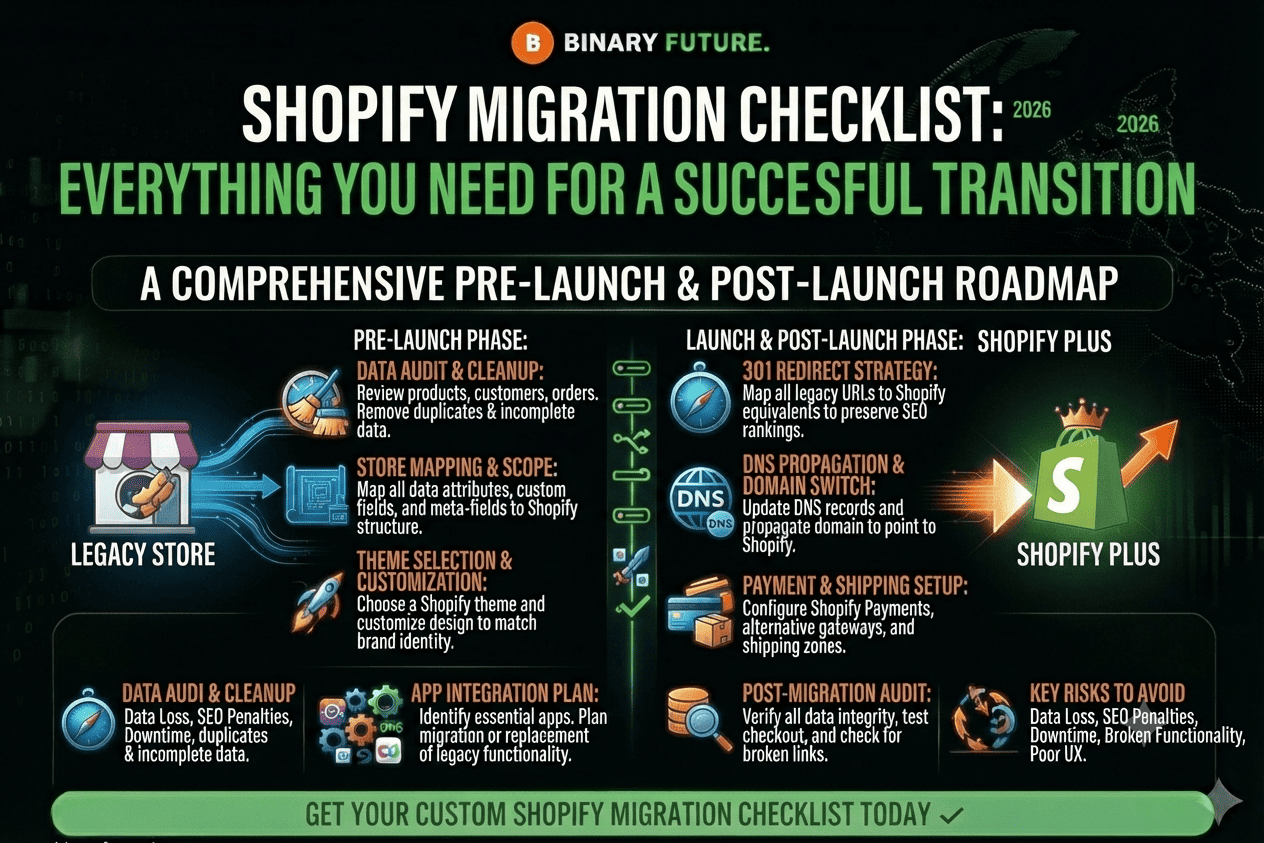
Shopify Migration Checklist for a successful store transition. Follow essential steps to migrate products, customers, SEO, apps, and integrations without losing traffic or sales.
The decision to move your business to a new platform is a huge step, both exciting and daunting. Platform migration is a complex project with many moving parts, and the stakes are extremely high. Binary Future emphasizes that if done right, it will provide unprecedented growth and operational optimization. If you make mistakes, you risk losing data and SEO rankings.
In this guide, we’ve put together a complete step-by-step plan for a successful migration. We’ve divided the process into three manageable phases: from strategic planning to final post-launch optimization.
Why Switch to Shopify? A Quick Overview of Features
Before delving into the technical details of the “how,” it’s worth validating the benefits of the “why.” According to Deloitte surveys, about 67% of retailers are opting for new solutions because of the obsolescence of current platforms that are holding back development.
Scalability and loading speed
Shopify’s robust infrastructure is built to handle traffic growth. This is critical, as over 50% of mobile site visits are abandoned if a page takes longer than three seconds to load. A slow platform is a direct threat to your bottom line.
Ecosystem and use of AI
With 30% market share in the US, Shopify provides access to thousands of apps. This allows you to build the best technology stack, including advanced artificial intelligence tools, which is now a priority for 43% of private companies. Migration is your opportunity to strategically upgrade every aspect of your business.
Phase 1: Planning and preparing for migration (plan)
This is the most important step. The work you do here will determine whether your migration is a smooth transition or a chaotic mess. Careful planning is your main defense.
Comprehensive data audit and backup
Your data is the lifeblood of your business. Without proper management, nearly 43% of companies experience disruption during a move. You need to prepare:
- Product data: SKUs, descriptions, images, videos, and stock levels.
- Customer data: contact information and addresses.
- Order data: a complete record of transactions for past periods.
Be sure to create several safe backups before starting any work.
Protecting your SEO positions and capital
One of the biggest risks is losing SEO capital. A drop in rankings leads to a loss of traffic. To protect your positions, you need to benchmark your current performance and create a detailed URL mapping map. A 301 redirect strategy tells search engines that a page has moved, preserving up to 99% of its SEO value.
The most important task: transferring the customer experience
Your most valuable data is your customer relationships. Losing product reviews or loyalty points is a financial disaster. A product with five reviews is 270% more likely to be purchased than one without them. Using unified platforms allows you to seamlessly transfer reviews, VIP statuses, and subscriber lists, creating a foundation for growth from day one.
Phase 2: Migration process (hard work)
With the plan in hand, it’s time to move on to technical implementation. This phase requires maximum attention to detail.
Technical data migration
You have several options for migrating your core data sets, from free native Shopify tools for simple stores to specialized automation apps. However, for large and complex projects, the safest route is to hire experts who know how to avoid common pitfalls.
Store core setup and 301 redirects
This is the foundation of your new site. You need to carefully configure:
- Payment gateways and tax settings: according to sales regions.
- Delivery: rules, rates and zones.
- 301 Redirects: Using URL Maps to Preserve SEO Traffic. Don’t skip this step, it’s critical.
Rigorous testing before launch
Imagine yourself as a customer and try to “hack” your site. Place test orders, check the work on all types of devices (desktop, tablet, smartphone), click on every link and feedback form. Only complete confidence in the functionality of the shopping cart and checkout gives the green light to go live.
Phase 3: Post-launch and optimization (growth phase)
The most stressful part is behind you, but the work continues. It’s time to activate the new growth levers that Shopify provides.
SEO Health Check and Communication
Immediately after launch, submit a new sitemap to Google Search Console. Monitor 404 errors and fix them in a timely manner. At the same time, launch a “We’ve moved!” campaign for your customers. Explain the benefits of the new platform and remind them to reactivate their accounts for security reasons.
Activating the customer retention engine
Now you can take full advantage of your migrated data. Since existing customers spend an average of 67% more than new ones, focus on them. Run automated message threads (abandoned carts, welcome series) based on all the relationship history you preserved during the migration.
From theory to implementation
A successful migration is not just a platform change, but a strategic opportunity to upgrade every system in your business. It’s a fresh start where careful planning is key to overcoming technical challenges.
Your migration is not a finish line, but a starting block for the next stage of development. By protecting your most valuable assets – customer relationships and the data that define them – you guarantee yourself a confident step forward. Binary Future will help turn your move into a powerful growth engine, where every detail works for your success.
Ready to start your migration with a clear plan?
Book a free consultation with our technical director.