Shopify Mobile App vs. Mobile Site: Why Syncing Matters
A mobile site reads directly from the store, so it cannot disagree with it. An app holds its own copy of the catalogue, prices, and stock, which is exactly why it feels fast and exactly why it can be wrong.
Everything an app does better than mobile web, meaning instant loads, offline browsing, saved carts, and push, depends on local state. Sync is the price of that speed. Get it wrong and customers buy things you cannot ship. If you are still weighing formats, native versus PWA covers that decision separately.
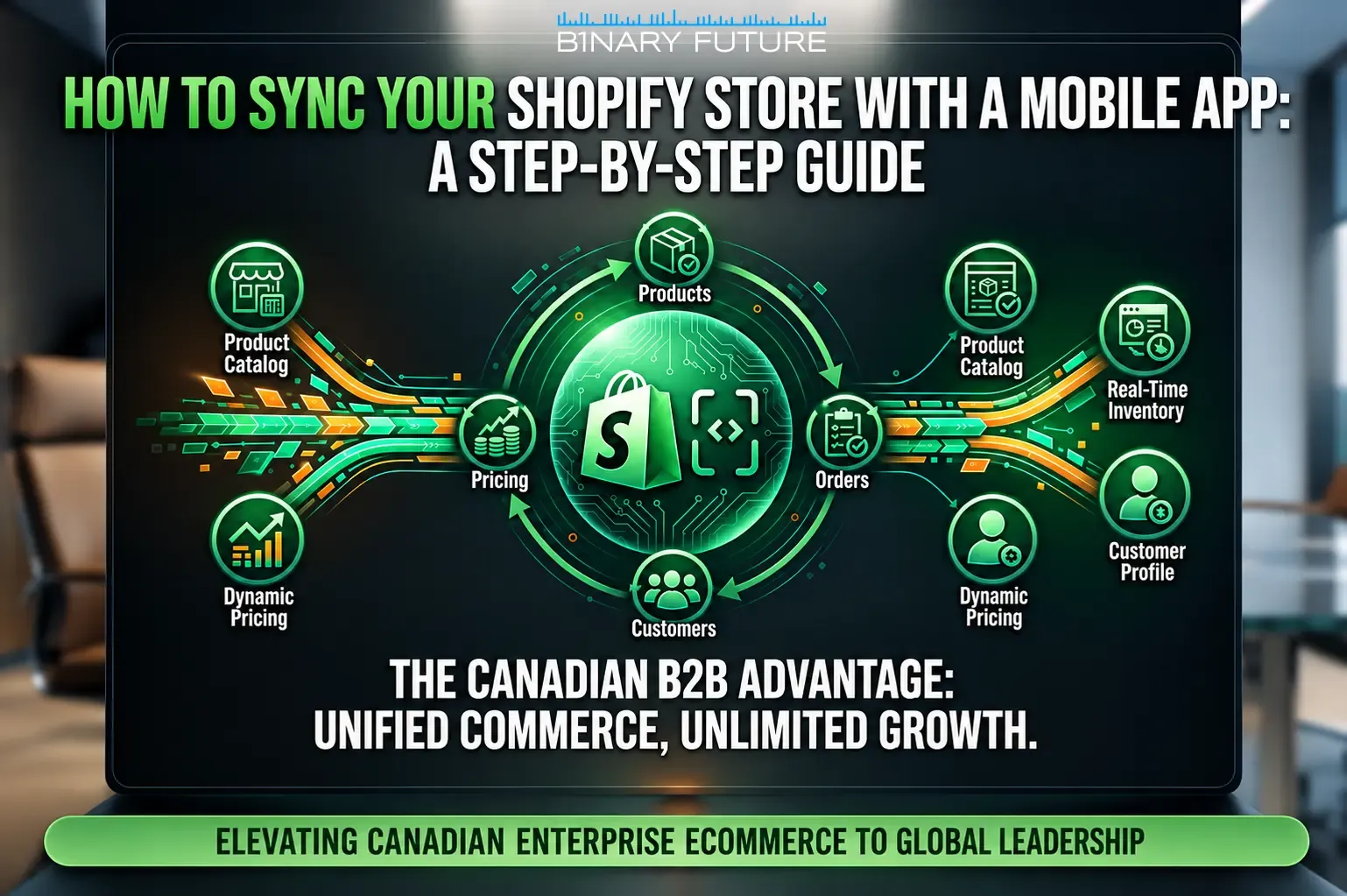
Why Seamless Syncing is Critical for Shopify Merchants
- Inventory accuracy. Overselling produces a refund, an apology, and a customer who does not come back. It is the only sync failure that costs revenue directly.
- Price and promotion consistency. An app showing yesterday’s price is a support ticket at best and a chargeback at worst.
- Order visibility. If order status does not flow back, customers ask your team instead of the app.
- One customer record. A cart abandoned on the app and one abandoned on the web should not look like two people.
Preparing Your Store Before Integration
Sync inherits whatever mess already exists. Clean the source before connecting anything to it.
- Fix product data first. Missing variants, inconsistent SKUs, and orphaned images become app bugs the moment they cross the API, and they also decide whether AI channels represent your products correctly.
- Decide the source of truth per field. Price, stock, and copy may each live somewhere different. Write it down before development starts, because arguing later costs weeks.
- Audit locations and inventory rules. Multi-location stores need to agree on which pool the app reads from.
- Check your app stack for overlap. Two apps writing to the same inventory field is the most common cause of drift.
Choosing the Right Integration Approach
- No-code builders. The builder owns the sync, so you accept its refresh interval and conflict handling. Fine for a catalogue and checkout, thin once business rules appear.
- Custom build on Shopify APIs. You control refresh, retries, and conflict resolution. Necessary with subscription logic, B2B pricing, or ERP-driven stock.
The deciding question is not technical, it is where complexity lives. If the store is the complicated part, custom Shopify app development is the right scope. If the complexity is in the systems behind the store, it is an integration project instead, and Shopify CRM and ERP integrations is where that gets solved.
Technical Setup for Seamless Sync
Four Shopify surfaces do the work, and mixing them up is the usual source of rework (Shopify developer documentation):
- Storefront API. Products, collections, cart, and contextual pricing for the buyer-facing side of the app. This is what a custom storefront reads.
- Admin API. Inventory levels, orders, fulfilments, and customer records. Operations, not browsing.
- Webhooks. Push notification from Shopify when something changes, so the app does not poll. Cheaper and faster than scheduled jobs.
- Mobile Buy SDK. Still maintained for iOS and Android over the Storefront GraphQL API, but checkout types were removed. Checkout now runs through Checkout Sheet Kit rather than inside the SDK.
One correction worth making because it still appears in older guides: the JavaScript Buy SDK was deprecated in January 2025 and merchants had to migrate to the Storefront API Client by July 1, 2025 or lose the ability to complete purchases (Shopify changelog). If a proposal you receive still names it, the author has not checked.
The genuinely new piece is Next Gen Events, shipped on June 17, 2026. Shopify rebuilt its webhook system so subscriptions can filter on specific fields and return customisable GraphQL payloads (Shopify, June 17, 2026). In practice an app can subscribe to a change in inventory quantity alone, instead of parsing an entire product payload every time anything about that product changes. Less traffic and fewer places for drift to start.
Configuring, Testing, and Adding Features
- Set refresh expectations per flow. Stock needs near-real-time. Product copy can lag by hours. Treating everything as urgent is how teams hit rate limits.
- Handle failure explicitly. Decide what the app shows when a sync call fails. Silently displaying stale data is the worst available option.
- Test the mixed cases. Multi-location stock, partially fulfilled orders, discounted variants, and out-of-stock during checkout. Happy paths always pass.
Feature scope is a separate question from sync, and building all of it at once is the usual cause of an inflated quote. Which app features to build first sets out what belongs in version one.
Publishing to App Stores
- Apple Developer Program: 99 USD a year, and apps are pulled if it lapses.
- Google Play Console: 25 USD once, no renewal.
- The deadline most teams miss: new personal Google Play accounts must run a closed test with twelve testers for fourteen days before production access. Organisation accounts and accounts created before November 2023 are exempt.
Promoting and Launching Your App
Installs come from customers you already have, not from ads. Smart App Banners, post-purchase emails, and packaging inserts beat paid installs, because that audience has already bought once. After launch keep one metric in view: repeat purchase rate among installers against everyone else. That number tells you whether the app earned its build cost.
Cost, Timeline, and Practical Considerations
Builder-based apps run as a subscription and go live in weeks. Custom builds are a project cost plus maintenance and take months. What moves the estimate is not screen count but the number of systems involved: one Shopify store is straightforward, a store plus an ERP plus a POS is a different project.
Binary Future gives estimated ranges after scoping rather than a rate card, because the same brief prices very differently with and without an ERP in the picture. Shopify development cost breaks down what drives the number.
Best Practices for a Flawless Sync
- Log every sync event. When stock is wrong you need to know which system wrote the last value, and when.
- Make writes idempotent. Retries are normal. Duplicated orders from retries are not.
- Respect rate limits by design. Batch reads, subscribe to events instead of polling, back off on failure.
- Alert on silence. A sync that stops running raises no error. Monitor for the absence of events, not just for errors.
That last point is why sync belongs in an operations budget rather than a build budget. Broken integrations and stale data accumulate quietly, which is what ongoing Shopify maintenance and support exists to catch.
Real-World Examples
Rather than repeat vendor case studies, here are the four failures that come up most often in scoping, in order of what they cost.
- Two systems writing the same inventory field. An app and a warehouse tool both update stock, neither knows about the other, and the store oversells during a promotion.
- A nightly sync treated as real time. Stock is accurate at 3am and wrong by lunchtime on a launch day.
- No conflict rule for price. The ERP and Shopify disagree, the app shows one and checkout charges the other, and the customer disputes the charge.
- Sync that stopped weeks ago. Nobody noticed because nothing errored. This one is usually found by a customer.
Conclusion
Syncing a Shopify store with a mobile app is an architecture decision before it is a development task. Name the source of truth per field, subscribe to events instead of polling, decide what the app does when a call fails, and monitor for silence. If the systems behind the store are the complicated part, choosing an ERP integration partner in Canada covers how to scope that. If you are still deciding whether the app is worth building at all, the case for and against a Shopify mobile app starts further upstream.