Shopify Plus When Normal Methods No Longer Work
Shopify Plus is the enterprise tier, currently starting around 2,300 USD a month on a three-year term (Shopify pricing). It is built for brands running high volume, multiple storefronts, several markets, and requirements that the standard admin cannot express.
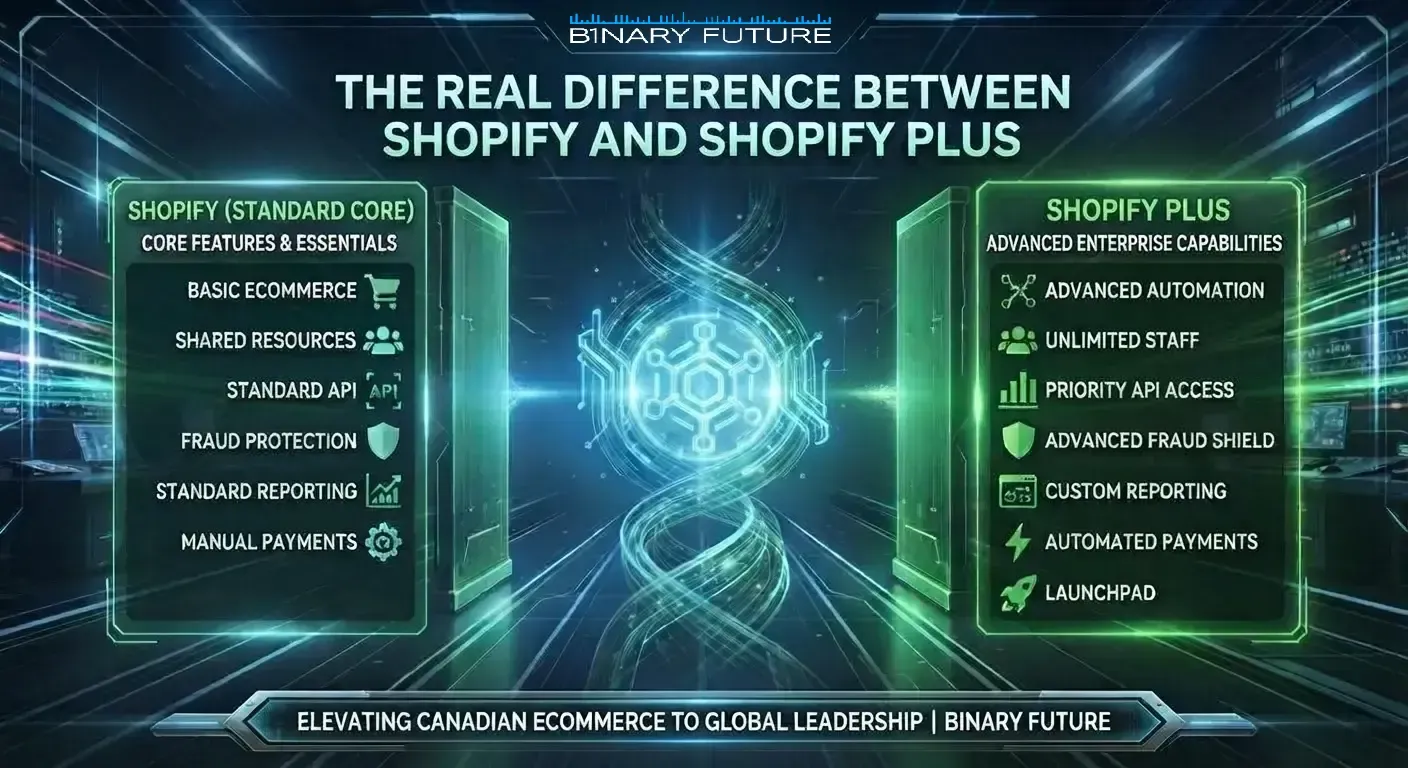
The honest framing in 2026 is narrower than it was two years ago. Unlimited staff accounts, extended API access, multi-store, and a named support contact remain genuinely Plus. Much of what used to justify the jump does not any more, and knowing which is which is the difference between a justified upgrade and an expensive one.
If you have not yet decided that Plus is the right tier at all, the plan-by-plan comparison is in Shopify Plus vs Shopify. This article assumes the decision is made and covers what changes afterwards.
Key Technical and Functional Differences Shopify vs Shopify Plus
Scaling and Performance
Standard plans cap inventory locations and markets and apply API rate limits that a high-volume catalogue will meet. Plus raises those ceilings and handles traffic spikes without the operational planning that flash sales otherwise require. This is a real difference, and it only becomes a real difference at volume.
Checkout Customization and Functions
This is the section most affected by 2026. Shopify Scripts stopped executing on June 30, 2026, and editing was disabled from April 15 (Shopify developer documentation). Discount, shipping, and payment logic now runs on Shopify Functions. Public apps containing functions work on any plan, while custom apps containing Function APIs remain a Plus capability.
Two consequences for anyone upgrading. First, checkout extensibility itself is no longer the reason to move, because it is available across plans. Second, any Scripts logic still described in an old proposal has to be rebuilt from scratch rather than migrated, and that work belongs in the upgrade budget.
What the mechanics actually involve is covered in Shopify Plus checkout customization.
Globalization and Multi-Store
Multi-store is the cleanest Plus-only capability. Separate storefronts by region or brand, managed from one place, with expansion stores included rather than bought. Standard plans can sell internationally through Markets, but a genuine multi-store structure is not available below Plus. Shopify Plus multi-store setup cost in Canada covers what that involves in practice.
Automation and Support
Shopify Flow is available broadly rather than being Plus-only, so automation alone is a weak argument for upgrading. What Plus adds is a named account contact, launch support, and priority handling. For a brand mid-transition that access has real value. For a stable store it is the hardest part of the price to justify.
Price and Total Cost
Standard plans are far cheaper on subscription. The Plus argument is that at volume you stop paying for apps, workarounds, and manual labour that the platform now handles. That argument only holds if you actually retire the apps afterwards. Brands that upgrade and keep the same stack pay twice.
When to Upgrade to Shopify Plus: Brand Signals
Five signals that hold up, in rough order of how reliably they predict a justified move.
- Multiple storefronts. Separate stores by region or brand needing central management. This cannot be done properly below Plus.
- Account-level pricing. Wholesale buyers on individually negotiated terms rather than a few published tiers.
- Checkout logic as a business rule. Discount, shipping, or payment behaviour that needs a custom Function app rather than a public one.
- Operational ceilings. Inventory locations, market count, API limits, or staff seats shaping how the team works.
- App spend and workaround cost. The combined subscription plus staff time to keep third-party tools agreeing with each other approaches the plan difference.
One correction to older lists: a B2B department is no longer a signal on its own. Since April 2, 2026 native B2B works on Basic, Grow, and Advanced at no extra cost (Shopify, April 2, 2026), so wholesale is worth testing on your current plan first. Where the Plus line actually falls for B2B is set out in Shopify Plus for B2B.
How to Ensure a Successful Upgrade to Shopify Plus: Recommendations from Binary Future
Moving to Plus is a project with a scope, not a billing change. Six steps, in order.
- Audit what exists. Transaction volume, catalogue size, every integration, every app and what it costs, and every piece of custom logic including anything still written as a Script.
- Decide migrate or rebuild. Lifting the current store across is faster and carries the existing debt with it. Rebuilding costs more and is the only way to remove that debt. Choose deliberately rather than by default, and see our Shopify migration checklist for the full sequence.
- Rebuild logic and re-point integrations. Functions replace Scripts, Flow replaces manual steps, and every ERP, CRM, and warehouse connection needs testing against the new store. This is where Shopify CRM and ERP integrations work usually sits.
- Test the things that fail quietly. Speed under load, mobile checkout, tax and currency by market, and partially fulfilled orders. Happy paths always pass.
- Monitor after launch, not just during. Track repeat purchase frequency, average order value, order processing time, and churn against the pre-move baseline for at least a quarter.
- Retire what you replaced. Cancel the apps whose function is now native. This is the step most often skipped, and it is where the upgrade either pays for itself or does not.
Handling that sequence end to end is what Shopify Plus development and Shopify migration services cover.
Is Shopify Plus Justified for Your Business?
Standard Shopify is a good place to run a serious business. It is fast to set up, has a deep app ecosystem, and now includes B2B, checkout extensibility, and block-based themes that used to sit behind the enterprise tier.
Plus earns its price when an operational constraint is actively shaping decisions, and the transition is treated as a project with a budget rather than a plan change. If it is treated as a plan change, the result is a more expensive version of the same store. Why upgrade to Shopify Plus goes further into the trigger points.