Why Switch to Shopify? A Quick Overview
Three reasons hold up without needing a statistic behind them.
- You stop owning infrastructure. Hosting, PCI compliance, certificates, and scaling become someone else’s problem, which removes a category of cost and a category of risk at once.
- The app ecosystem covers the common cases. Most functionality a growing store needs already exists, which is cheaper than building it and faster than specifying it.
- The platform ships changes you inherit. Block-based themes, native B2B, and AI channel syndication arrived without any of your engineering time. That is the real compounding advantage, and it is also why a store on an unmaintained platform falls further behind each year.
The honest counterweight: you also inherit the platform’s deadlines. Migration puts you on a release calendar you do not control, which is a trade rather than a free win.
Phase 1: Planning and preparing for migration
The work done here determines whether the migration is smooth or a controlled mess. This is the phase clients most want to shorten and the one that should never be shortened.
Comprehensive data audit and backup
Before anything moves, know exactly what you have.
- Product data: SKUs, descriptions, images, variants, metafields, stock levels across all locations.
- Customer data: contact records, addresses, marketing consent status, and loyalty balances.
- Order data: complete transaction history for the periods you are legally and commercially required to keep.
- Custom logic, itemised: every discount rule, shipping rule, and workflow, with a note on what still runs and what does not.
- Several verified backups, restored once to confirm they actually restore.
Data quality matters more than data volume. A thousand clean SKUs move faster than three hundred with inconsistent attributes. The mechanics are in strategic Shopify data migration.
Protecting your SEO positions
This is the section where most migration guides repeat a myth. You will see claims that a 301 preserves ninety or ninety-nine percent of SEO value. That is pre-2016 speculation. Google’s current documentation states plainly that permanent redirects do not cause a loss in PageRank (Google Search Central).
The risk is not the redirect. The risk is the redirect that does not exist. What that means in practice:
- Crawl the old site fully. Build the map from what is indexed, not from the sitemap.
- Map every old URL to its closest equivalent, one hop, no chains.
- Redirect to the nearest real match. A page with no equivalent should not go to the homepage, because Google may treat that as a soft 404 and pass nothing.
- Benchmark current rankings and organic traffic before the move, so you have something to compare against.
- Keep permanent redirects in place for at least a year.
Deciding the customer account model
New for 2026 and missing from most plans. Legacy customer accounts were deprecated on February 26, 2026, with a final sunset date to be announced (Shopify changelog). The replacement uses one-time codes rather than passwords and supports store credit, self-serve returns, and B2B natively. Multipass is not supported on it.
The consequence for a migration is that the account model is a decision to make before the customer import runs, not after. If your current setup involves shared sign-in between a custom frontend and checkout, that needs redesigning around the Customer Account API as part of the project.
Phase 2: Migration process
Technical implementation. This phase rewards paranoia.
Technical data migration
- Transfer product data through scripted API calls with attribute validation on both sides.
- Import customers and orders in stages during low-traffic windows.
- Reconcile counts after each stage. Do not sample. A missing five percent is invisible in a spot check and obvious to the customer whose order vanished.
Store setup and 301 redirects
- Payment gateways and tax settings configured by region, including GST, HST, PST, and QST for Canadian buyers.
- Shipping rules, rates, and zones.
- The full redirect map deployed and tested, including a sample from the long tail.
- Checkout upgraded. If the source store predates checkout extensibility, this belongs inside the migration, not after it.
One more item for 2026: any discount, shipping, or payment logic still written as a Shopify Script has to be rebuilt on Shopify Functions, because Scripts stopped executing on June 30, 2026 (Shopify developer documentation). It does not migrate. Budget it as development.
Integration testing
Where migrations actually fail. Passing in staging is not the same as passing at real order volume.
- Every ERP, CRM, and warehouse connection tested against the new store, then tested again under load.
- Conflict rules confirmed: which system owns price, what happens when a sync fails mid-order.
- Partially fulfilled orders, multi-location stock, and discounted variants specifically tested. Happy paths always pass.
Where inventory or pricing lives in an ERP, this is an integration project running alongside the migration rather than a task inside it.
Rigorous testing before launch
- Place real test orders on desktop, tablet, and phone.
- Click every link and submit every form.
- Test on a throttled connection, not office wifi.
- Confirm analytics and conversion tracking fire correctly, because this is the thing that breaks silently and invalidates your ability to measure the whole project.
If the site is large, phase the move. Google’s own site-move guidance recommends moving one section first to observe the effect on traffic and indexing before committing the rest.
Phase 3: Post-launch and optimization
The stressful part is over. The measurable part is not.
SEO health check and communication
- Submit the new sitemap immediately and monitor Search Console daily for the first two weeks.
- Fix 404s as they appear rather than in a weekly batch.
- Expect ranking fluctuation during recrawl. Google’s documentation describes this as normal, with a medium-sized site typically taking a few weeks for most pages to move through the index.
- Run a we have moved communication to existing customers, explaining what is better and prompting account reactivation.
Product data for AI channels
New and cheap, and almost nobody schedules it. Eligible Shopify products are syndicated to ChatGPT, Copilot, and the Shop app by default, and that runs on catalogue completeness rather than on your theme. A migration is the natural moment to fix thin titles and missing specifications, because you are touching every product record anyway.
Activating the customer retention engine
- Confirm loyalty balances and order history came across intact, because these are the records customers notice.
- Restart abandoned cart and welcome flows against the migrated data.
- Compare repeat purchase rate against the pre-move baseline over at least a quarter.
Ongoing monitoring
A migration does not end at launch. Integrations break quietly, platform deadlines arrive on a schedule you do not control, and stale data accumulates. That is an operations function rather than a project, and it is what ongoing Shopify maintenance and support covers.
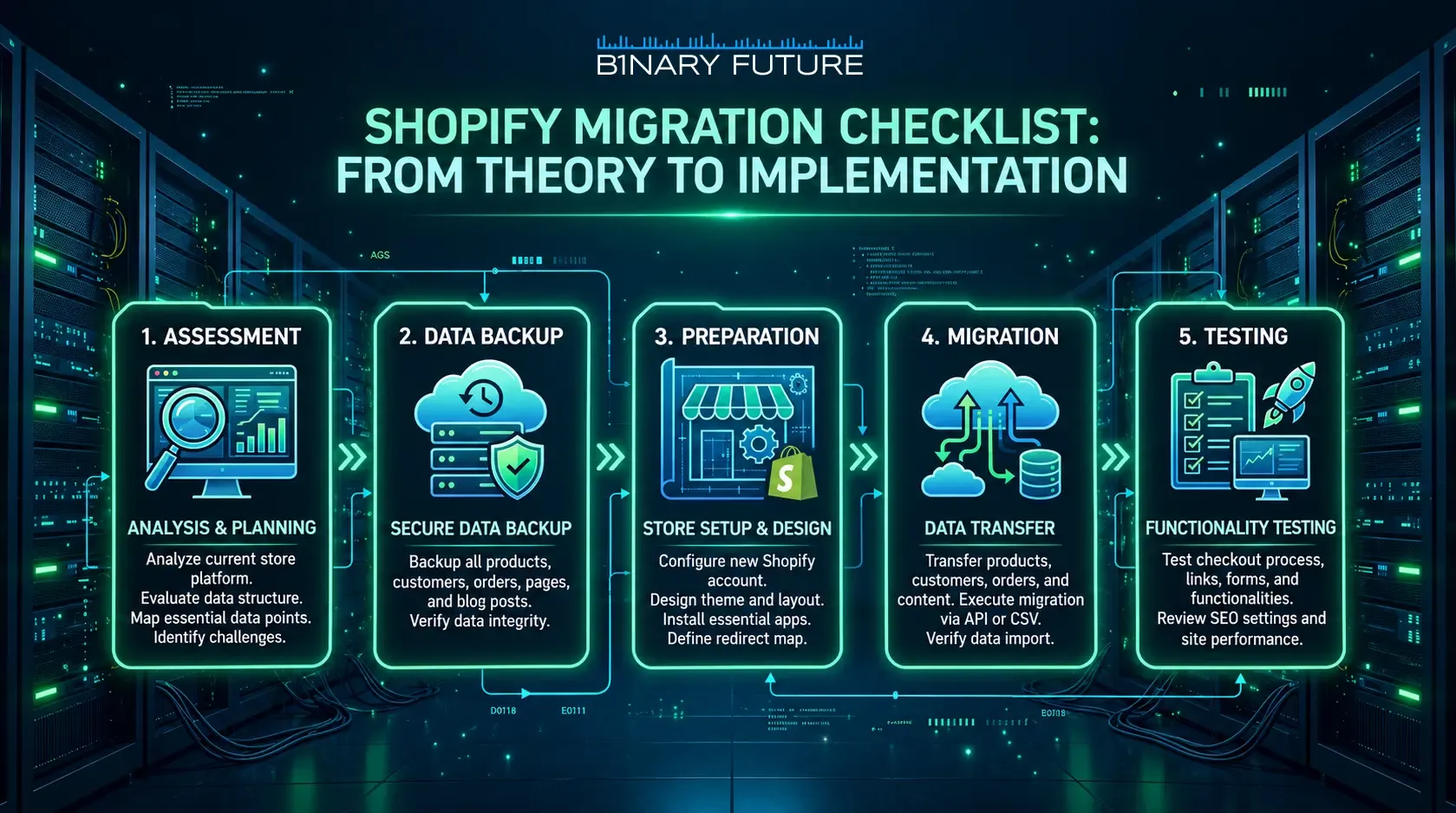
From theory to implementation
A successful migration is a planned sequence rather than a platform change. Audit before scoping, build the redirect map from a crawl, treat Scripts and account logic as rebuilds, test integrations under load, and measure against a baseline you captured before you started. Binary Future scopes and runs this work as Shopify migration services. What it costs is broken down in our migration cost guide, how long it takes in the migration timeline, and what actually goes wrong in our account of moving a premium brand.