Understanding Shopify Customization
Shopify customization aligns an online store with a brand’s positioning and its customers’ expectations. It goes past aesthetics, affecting usability, page speed, discoverability, and trust. In 2026 the work splits into four layers, and knowing which layer a request belongs to is most of the estimate.
- Theme layer. Horizon, the block based theme system Shopify released on May 21, 2025, made almost every page element a block that can be added, moved, or nested without touching code. Since December 10, 2025, AI block generation through Sidekick works on every Theme Store theme, not only Horizon.
- App and extension layer. Public apps, theme app extensions, and custom apps cover functionality the theme cannot express: configurators, bundle builders, quote requests, loyalty logic.
- Checkout layer. Checkout UI extensions, Shopify Functions, and Web Pixels replaced checkout.liquid, Additional Scripts, and Shopify Scripts. This layer now carries a compliance deadline.
- Data layer. Shopify Catalog structures eligible products and syndicates them to ChatGPT, Copilot, and the Shop app by default, and the Universal Commerce Protocol is enabled by default for Shopify merchants. Incomplete titles and thin specifications are now a customization defect, not a copywriting one.
Typical requests, by layer:
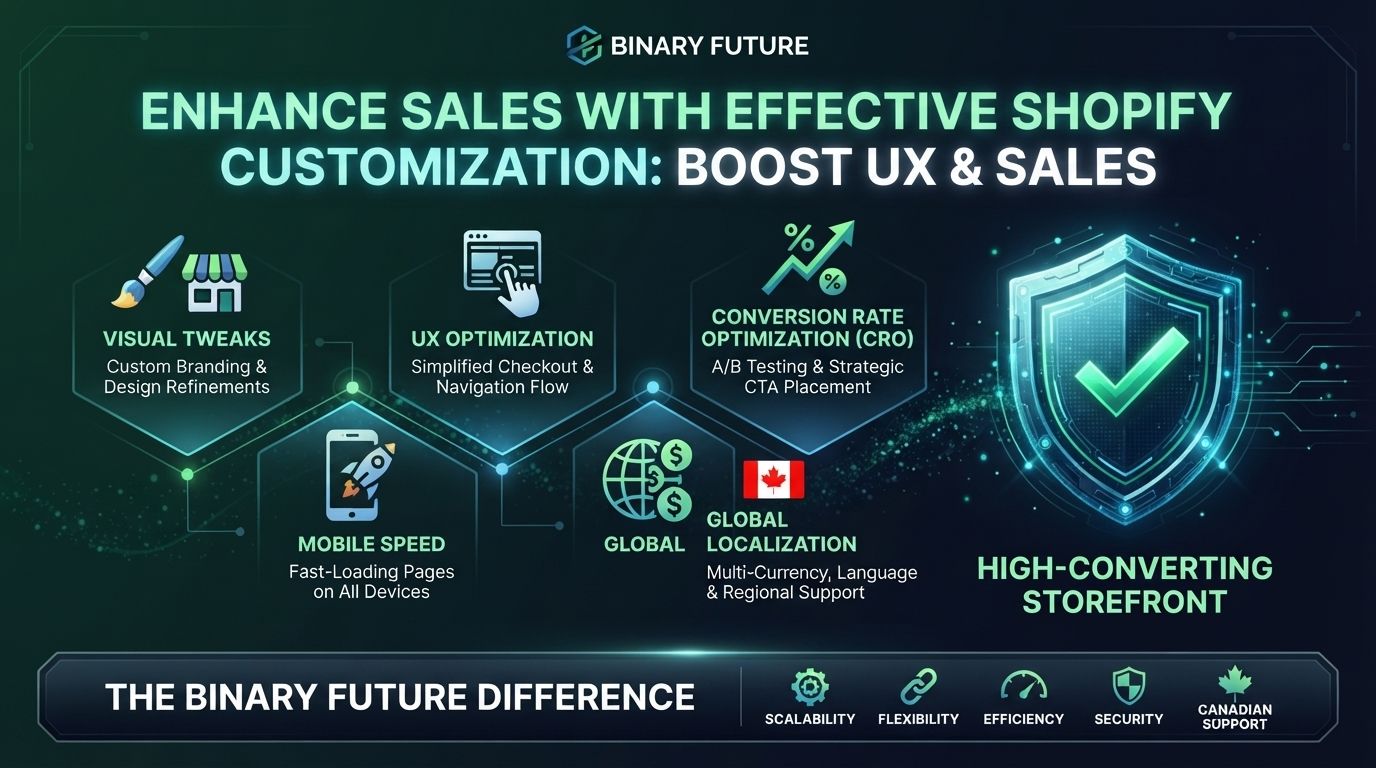
- Visual structure. Seasonal hero blocks, video backgrounds, product grids that reflow by breakpoint.
- Product experience. Zoomable imagery, 3D previews, variant selectors that swap media in real time.
- Mobile behaviour. Thumb reachable navigation, collapsible menus, quick buy on collection pages.
- Internationalization. Language and currency switching through Shopify Markets, translated descriptions, market specific offers.
Many of these need no developer. The ones that do usually sit in the checkout and data layers, which is also where a Shopify CRO programme tends to find the largest unclaimed revenue.
Why Customization Matters: Key Benefits
Effective Shopify customization is more than a design upgrade. It changes brand perception, conversion, and the cost of running the store.
1. Stronger Branding
A generic storefront is indistinguishable from thousands of others running the same free theme. Customization puts brand personality into the parts of the page shoppers actually read.
- Brand specific colour, typography, and imagery applied consistently across templates.
- Headings and calls to action written in the brand’s voice rather than theme defaults.
2. Improved UX (User Experience)
A store that looks good and navigates badly still loses the sale. Customization removes friction from the path to purchase.
- Product categories reorganized with mega menus or faceted filters.
- Quick preview and one click add to cart on collection pages.
On a catalogue with hundreds of SKUs, size guides, fit filters, and live stock indicators usually do more than a homepage redesign.
3. Higher Conversions
The closer the store maps to how the audience decides, the more of them convert. Since June 5, 2026 that is testable natively: Rollouts schedules, gradually publishes, and split tests themes plus checkout and customer account configurations. Per Shopify’s documentation, rollouts start at the Basic plan, while experiments, the type comparing a control group with a treatment group, require Grow or higher.
What is worth testing first:
- Placement of reviews and social proof relative to the fold.
- Checkout copy and the number of steps a shopper sees before payment.
- Product page layout, particularly where price, media, and specifications sit.
Rollouts reports performance. It does not call a winner and runs no significance test, so the decision stays with the team.
4. Increased Global Reach
For a Canadian brand selling into the United States and the EU, localization is a customization problem before it is a marketing one.
- Automatic language and currency switching by market through Shopify Markets.
- Region specific banners tied to local holidays and buying seasons.
- Tax and compliance detail rendered correctly: GST, HST, PST, and QST for Canadian buyers, VAT disclaimers for the EU.
- French language privacy notices and consent flows for Quebec buyers. Quebec Law 25 requires them, and an English only banner does not satisfy it.
5. More Customer Loyalty
Repeat purchase is where customization compounds.
- Returning visitors see recently viewed items and order history.
- Post purchase pages carry referral offers and next order incentives.
Where loyalty logic outgrows off the shelf plugins, a custom Shopify app built around retention is cheaper to own than a stack of overlapping ones. One caution: on a non-Plus plan, anything built on the post purchase page with Additional Scripts is on a clock.
Getting Started with Shopify Customization
Before touching the theme, name the objective. Improving mobile usability, rebranding, and fixing a leaking checkout are three projects with three budgets. Then work the sequence:
- Audit what exists. Open Settings, then Checkout, and expand the upgrade notice. Non-Plus stores see exactly which apps, pixels, and scripts break at the deadline.
- Pick one goal. One measurable objective produces a readable result. Five simultaneous changes produce an argument.
- Build on a copy. Duplicate the live theme. Never edit the published one directly.
- Test before committing. Create a rollout, start at ten percent of traffic, and let it run long enough to read.
- Measure, then iterate. Track bounce, add to cart, reached checkout, and conversion. Record hypothesis, split, dates, and decision.
Tools of the Trade
| Tool | Purpose |
|---|---|
| Shopify CLI | Local theme and app development, previews, deployments |
| GitHub integration | Version control and team collaboration on theme code |
| Liquid and theme blocks | Layout and structure in Horizon and Online Store 2.0 themes |
| Sidekick block generation | AI generated theme blocks, on all Theme Store themes since December 10, 2025 |
| Rollouts, under Markets | Scheduled releases, gradual publishing, and split tests |
| Checkout and accounts editor | Checkout UI extensions, Thank you and Order status pages |
| Shopify Functions | Discount, shipping, and payment logic after the Scripts sunset |
| Chrome DevTools, PageSpeed Insights | Performance and rendering diagnostics |
Ready to Customize? Here’s What’s Next
1. Audit Your Current Store
Walk the store as a customer: is navigation obvious, are descriptions informative, does the page render fast on a mid range phone. Then walk it as an operator: what is running in Additional Scripts, which apps still use script tags, and what happens to tracking when those stop.
Two dates make this urgent. Shopify Scripts stopped executing on June 30, 2026. Non-Plus stores have until August 26, 2026 to upgrade the Thank you and Order status pages, after which Shopify upgrades them automatically and removes the legacy customizations. The storefront keeps taking orders. What breaks is invisible: conversion tracking and post purchase offers.
2. Set a Clear Customization Goal
One objective at a time: mobile experience, checkout flow, a single collection’s conversion rate, or brand expression. A focused scope is the only way to attribute a result to a change.
3. Explore the Shopify Theme Store or Install a Staging Theme
If the current theme is old or rigid, Horizon and its sibling presets are where Shopify is investing. That is a reason to build there on a rebuild, not a reason to replace a theme that already converts. Prototype on a duplicate first, and if the theme keeps blocking the roadmap, headless becomes the next question to answer rather than the default answer.
4. Partner with a Shopify Expert for Advanced Customization
Some requirements do not fit the theme layer. Contract pricing, ERP driven inventory rules, configurators, and quote flows usually need a custom Shopify app. Checkout logic is its own case: discount, shipping, and payment rules now run as Shopify Functions, and custom apps containing Function APIs are available only on Shopify Plus, which makes plan choice part of the technical scope. Binary Future delivers that work as Shopify Plus development, and the mechanics of the checkout layer are covered in our guide to Shopify Plus checkout customization.
5. Measure Results and Iterate
Customization is not a one time project. After changes go live, track bounce rate, cart abandonment, session duration, and conversion, then run the next test rather than the next redesign. Small attributable changes beat a large annual rebuild.